
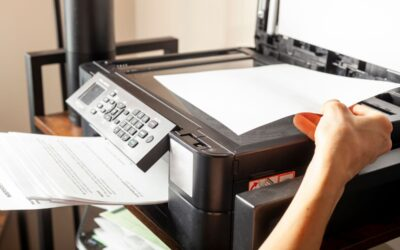
When it comes to office efficiency, every second counts — and one of the simplest ways to save time is by choosing a printer that can scan double-sided (duplex scanning). Whether you’re digitizing contracts, archiving reports, or sharing documents digitally, duplex scanning eliminates the need to flip pages manually, streamlining workflows and boosting overall productivity.
In this blog, we’ll explore why double-sided scanning is a must-have feature, how it works, and the top benefits it offers to modern businesses and home offices alike.
📄 What Is Duplex Scanning?
Duplex scanning is a feature in modern multifunction printers (MFPs) and scanners that allows the device to scan both sides of a page automatically. Instead of flipping each page manually, the machine either:
- Uses a Reversing Automatic Document Feeder (RADF) to scan one side, flip the page, and scan the other.
- Or uses a Dual CIS (Contact Image Sensor) system to scan both sides simultaneously for even faster results.
This functionality is often found in all-in-one laser printers, making them ideal for busy offices that need efficient document handling.
🚀 Why Duplex Scanning Matters: Key Benefits
1. Save Time on Large Projects
Scanning hundreds of double-sided documents manually is tedious and error-prone. Duplex scanners can process stacks of papers in minutes, letting your team focus on more important tasks.
2. Boost Office Productivity
With automatic double-sided scanning, your workflows become seamless — from archiving records to sharing PDFs with clients. It’s a small feature that significantly impacts day-to-day operations.
3. Reduce Paper Handling Errors
Manual flipping increases the risk of skipped pages or reversed orders. Duplex scanning ensures every page is captured in sequence, maintaining the integrity of your documents.
4. Save Digital Storage Space
Some advanced duplex scanners include auto-cropping and blank-page removal, reducing file sizes and optimizing storage space without compromising quality.
5. Eco-Friendly and Cost-Efficient
Going digital with double-sided scanning reduces paper usage and storage costs. It’s an easy way to make your office greener while saving money in the long run.
🖨️ Best Use Cases for Double-Sided Scanning
- Legal & Financial Firms: Quickly digitize lengthy contracts and reports.
- Educational Institutions: Archive student records and forms.
- Medical Offices: Store patient documents and insurance paperwork securely.
- Home Offices: Simplify tax filing, bills, and personal document organization.
🔎 Tips for Choosing a Duplex Scanning Printer
When shopping for a printer that supports duplex scanning, consider these key features:
- ✅ Automatic Document Feeder (ADF): Essential for bulk scanning.
- ✅ High Scanning Speed: Look for at least 20–30 pages per minute (ppm) for busy offices.
- ✅ Wireless Connectivity: Make scanning and sharing documents effortless.
- ✅ Optical Resolution: A minimum of 600 dpi ensures crisp, clear scans.
- ✅ Cloud & App Integration: Ideal for businesses that rely on remote access and document sharing.
📌 Final Thoughts
Printers with automatic duplex scanning are more than just a convenience — they’re a productivity powerhouse. By reducing manual tasks, minimizing errors, and streamlining document workflows, these devices free up valuable time and resources for what truly matters: growing your business.
If you’re looking to upgrade your office tech, investing in a printer that scans double-sided is one of the smartest decisions you can make.